Download Jetbus 3+ SHD Bus Mod for BUSSID Free
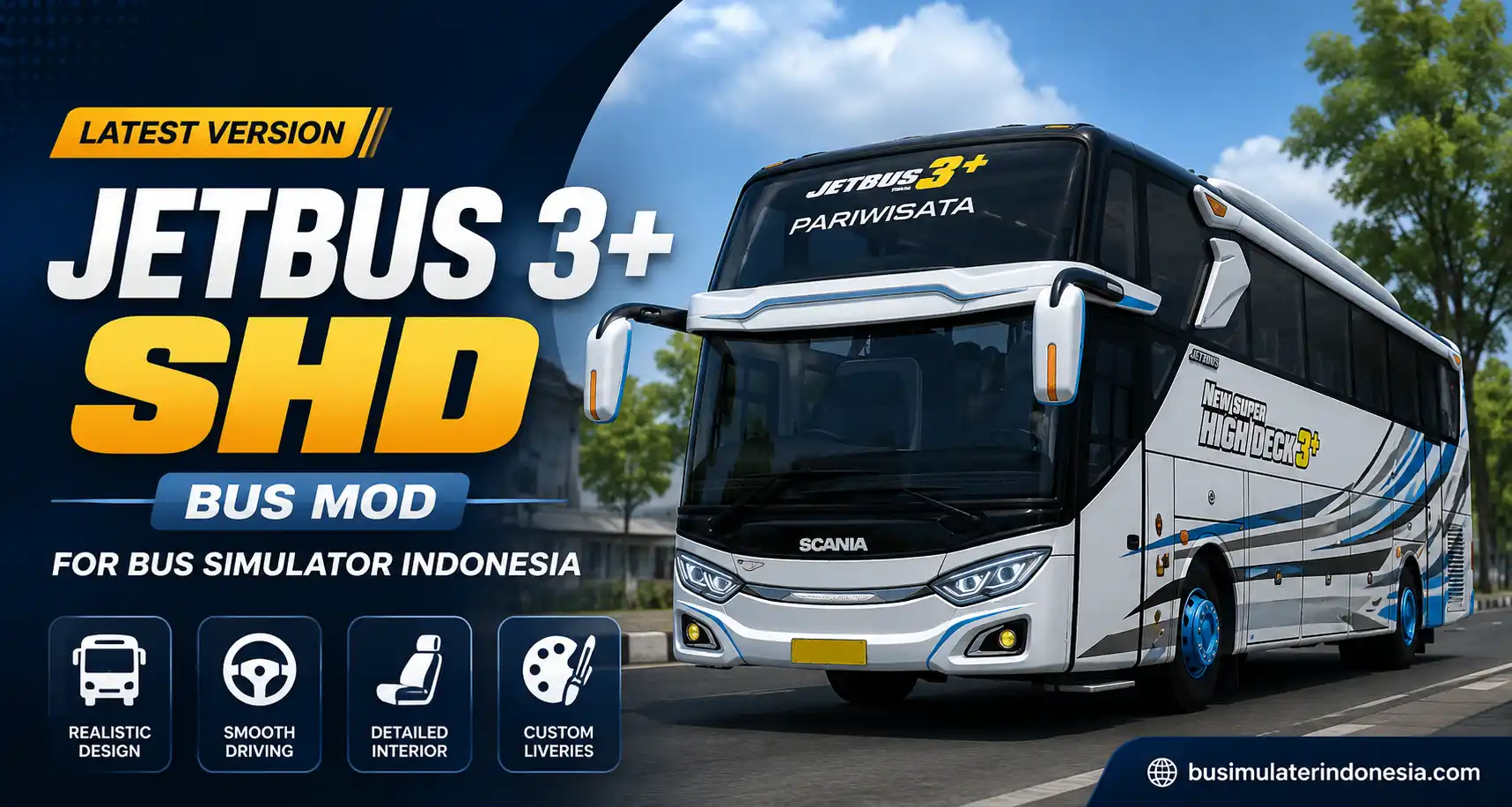
After a while, the default buses in Bus Simulator Indonesia can start to feel too light and too similar. That is why many players try bus mods, and the Jetbus 3+ SHD Bus Mod is a common pick. It adds a tall, modern Indonesian touring coach to the game, with a body that stands out on the highway. This page explains what the mod is, how to install it, and what to expect before you download.
Jetbus 3+ SHD bus mod quick facts
| Detail | Information |
|---|---|
| Mod | Jetbus 3+ SHD Bus Mod for Bus Simulator Indonesia |
| Style | Adiputro touring coach body |
| Price | Free |
| File size | See the download for the current size |
| File type | .bussidmod, sometimes inside a .zip |
| Platform | Android |
What Is the Jetbus 3+ SHD Bus Mod?
Jetbus 3+ SHD is a custom bus mod that adds a touring-style Indonesian coach to Bus Simulator Indonesia. The name comes from a real bus body. Jetbus is a body line made by Adiputro, a well known coachbuilder based in Malang, East Java, and the 3+ is the improved version of its third-generation Jetbus design.
SHD stands for Super High Decker. It is one of Adiputro’s tall big-bus body styles, around 3.85 metres high, which is why the bus sits high off the road and gives a raised driving view. That height is the reason the coach feels different from a normal BUSSID bus. It is a community-made mod, not an official Maleo vehicle, so credit the creator when you share it. If you would rather drive something heavier, you can also try the JCB mod for an off road change of pace.
Why Players Like This Mod
The Jetbus 3+ SHD bus mod appeals to players who enjoy calm, realistic touring routes rather than speed. The tall SHD body gives it road presence, and the design is meant to feel steady on long highway trips. For players who like driving a proper coach instead of a light default bus, it is an easy one to add and enjoy.
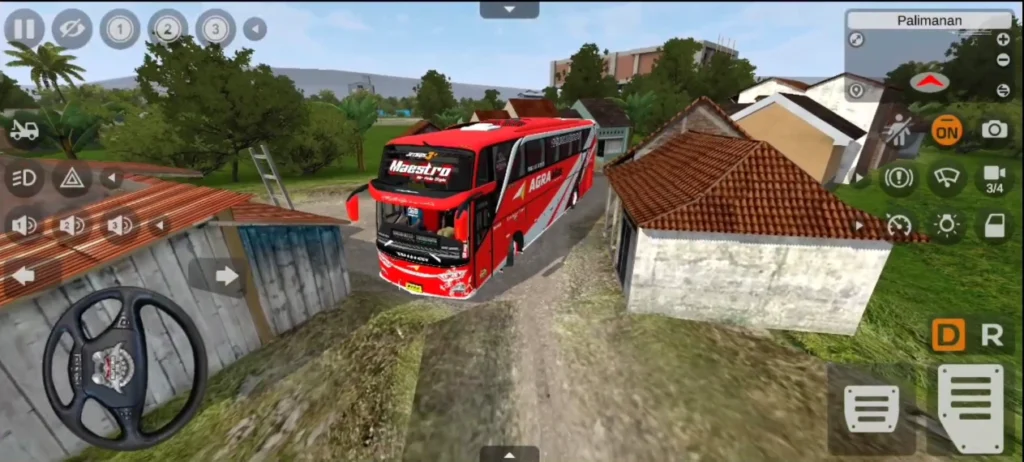
Features of the Jetbus 3+ SHD
Clean and modern design
The body, headlights, mirrors, and windows give it the look of a modern Indonesian touring coach. It is simple but sharp rather than over decorated.
Driving feel
The driving feel depends on the specific mod file, game version, and your device. The tall SHD body gives it road presence, and it may suit players who prefer slower touring routes rather than racing.
Interior
Depending on the version, the cabin may include a dashboard, passenger seats, mirrors, and gauges. The interior detail can vary between files, and a clean cabin is easier to use during gameplay.
Supports custom liveries
If the mod supports the usual BUSSID livery system, you can add custom paints, touring designs, and Indonesian bus company skins. That lets you make the coach your own.
Suited to long routes
The tall, steady SHD design suits long highway and mountain routes. It is a comfortable pick for slower, scenic driving rather than fast play.
How to Install the Jetbus 3+ SHD Mod
There are two easy ways to add the mod, and both work like other BUSSID vehicle mods.
Method 1, the in-game way:
- Download the Jetbus 3+ SHD mod file from the link on this page.
- If it is a .zip, extract it first to get the .bussidmod file.
- Open Bus Simulator Indonesia and check the Garage or vehicle import area.
- Look for the Import option. The exact button may vary by game version.
- Select the file and follow the import prompts. The bus should then appear in your vehicle list or garage.
Method 2, the folder way:
- Download and extract the file if needed.
- Move the .bussidmod file into Internal Storage > BUSSID > Mods.
- Open the game, go to the Garage, and select the Jetbus 3+ SHD.
Normal BUSSID vehicle mods do not usually require root access.
Common Problems and Fixes
Bus not showing in the Garage. Usually the .zip was not extracted, the file is in the wrong folder, or your BUSSID version is outdated. Move the file again or update the game.
Lag on lower specification phones. Lower the graphics settings, reduce shadows, and lower traffic density if the mod causes lag. These steps usually help, though results depend on your device.
Livery not working. Import the livery from the garage menu and check that it is a supported file type. Unsupported formats may not load.
Frequently Asked Questions (FAQs)
Conclusion
The Jetbus 3+ SHD is a good choice for players who want a calm, realistic touring coach in BUSSID. It looks modern, its tall body gives it road presence, and it supports liveries so you can make it your own. If you want to try more vehicles, browse our BUSSID mods page. If you are looking for the modified game itself, see our latest version bus simulator indonesia mod apk page.